Door-to-door sales software a new rep can use on day one
Built for pest control operators running knocking teams, year round or for a season. Hand out territory on a map, take payment and a signature at the door, and let the sale land in the office as a real customer.
The knocking season
Your reps turn over, and most of them have never sold pest control
Some teams knock all year. Some staff up for a season and bring reps on in groups. Either way the people at the door are new, they are working one-handed on a phone in the heat, and every extra tap is a door that does not get knocked.
So the tooling stays thin. A paper map cut up between reps, a group chat for who covered what, a signed sheet driven back to the office. Then someone loses a full workday typing those sales in, calling customers back for a card number, and working out which streets actually got worked.
Door to door, inside Dream
One app for the door, wired to the system that runs the service
Plan and price
Hand out streets and know who worked them
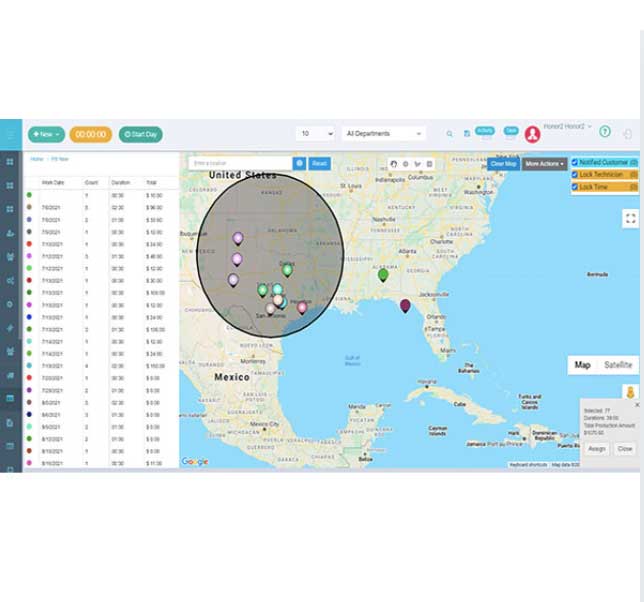
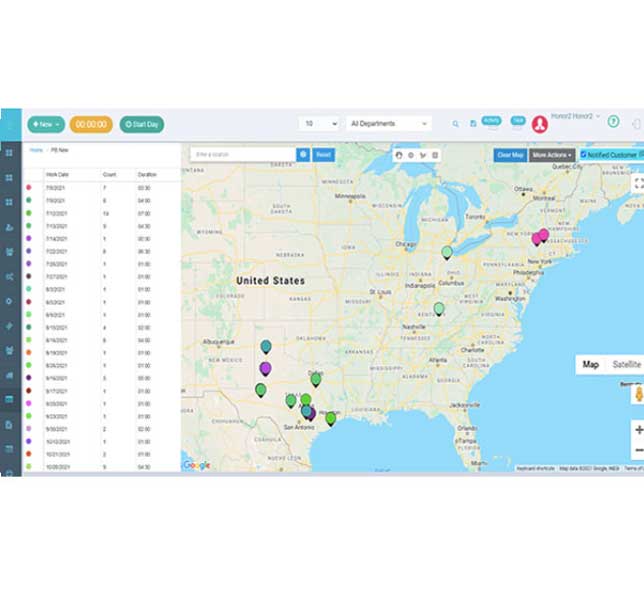
Managers draw areas on the map, name them, and assign them to a company, a branch, a marketing company, a team or a single rep. Areas can be blocked, or marked for a re-knock later in the season. Assigned areas outline blue, unassigned outline red. A rep can pull some of the customer's information before they knock on the door.
Pins carry the status the rep found: prospect, not home, callback, not interested, no-knock, current customer, previous customer, canceled customer. Notes and a dated callback attach to the pin, and every assignment change is timestamped and attributable. Nothing rests on memory.
The close
Sell, take payment and get a signature at the door
Four steps, built to close in sixty to ninety seconds:
- Customer details and a verified service address, capturing only the data your business needs
- The service: type, frequency, start date, quote and recurring price, with your minimum pricing and authorized discounts enforced
- Payment, card on file or authorized ACH, through an embedded compliant flow
- The right agreement, signed on the phone
Back office
A signed door becomes a customer, a service and a work order
The submitted sale creates the lead, the customer account, the service location, the sold subscription, the agreement and the sale attribution, then the first service and the recurring work order behind it. Payment moves as a secure provider token. Agreements go out to the customer from the same flow, and an appointment transfers between reps without a phone call.
Deals carry their status the whole way: Pending, Serviced or Active, Completed, Canceled. Filter by date, status, rep, branch or marketing company.
Nicole Keefe, Clark Pest Control
TRUSTED BY LEADERS ACROSS THE INDUSTRY